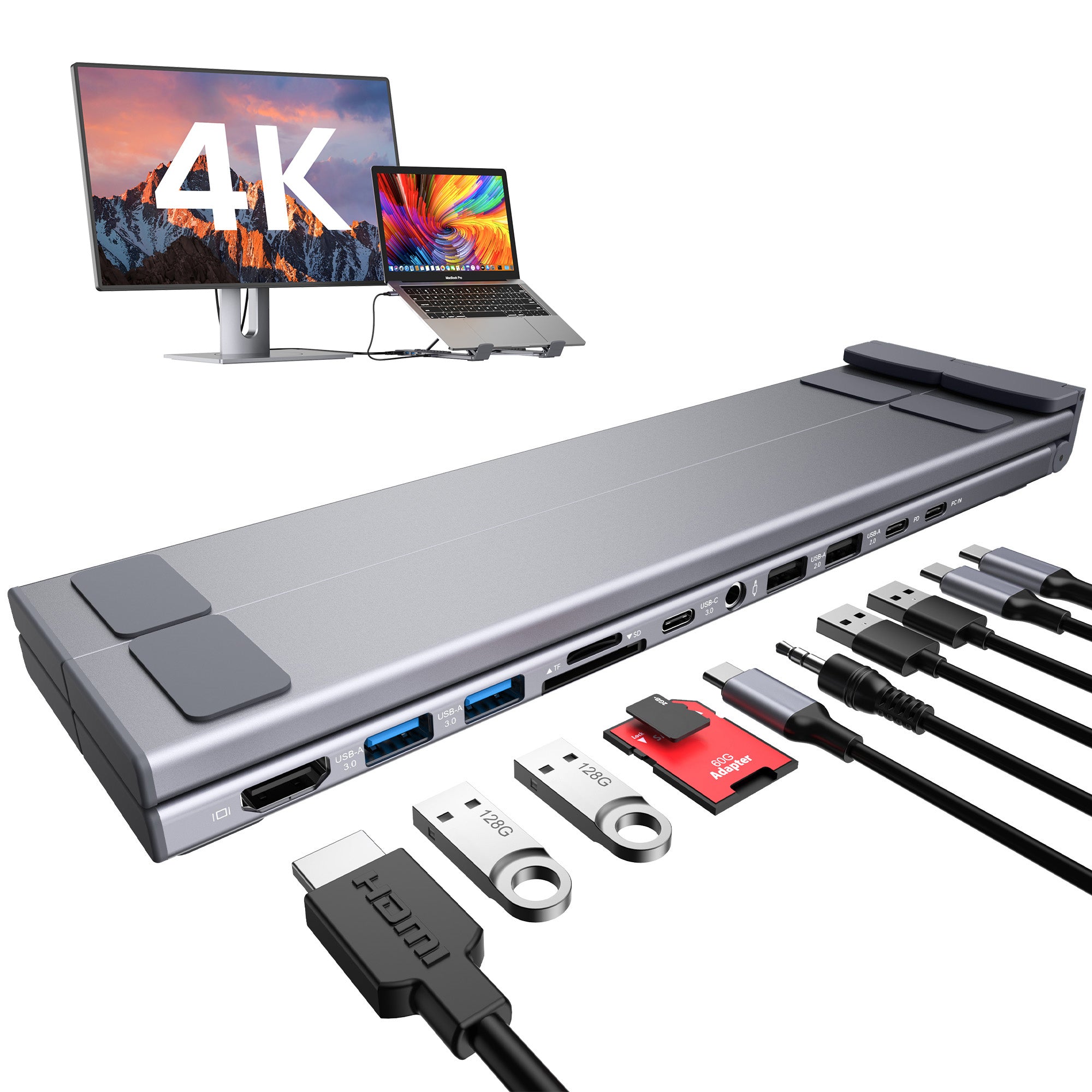
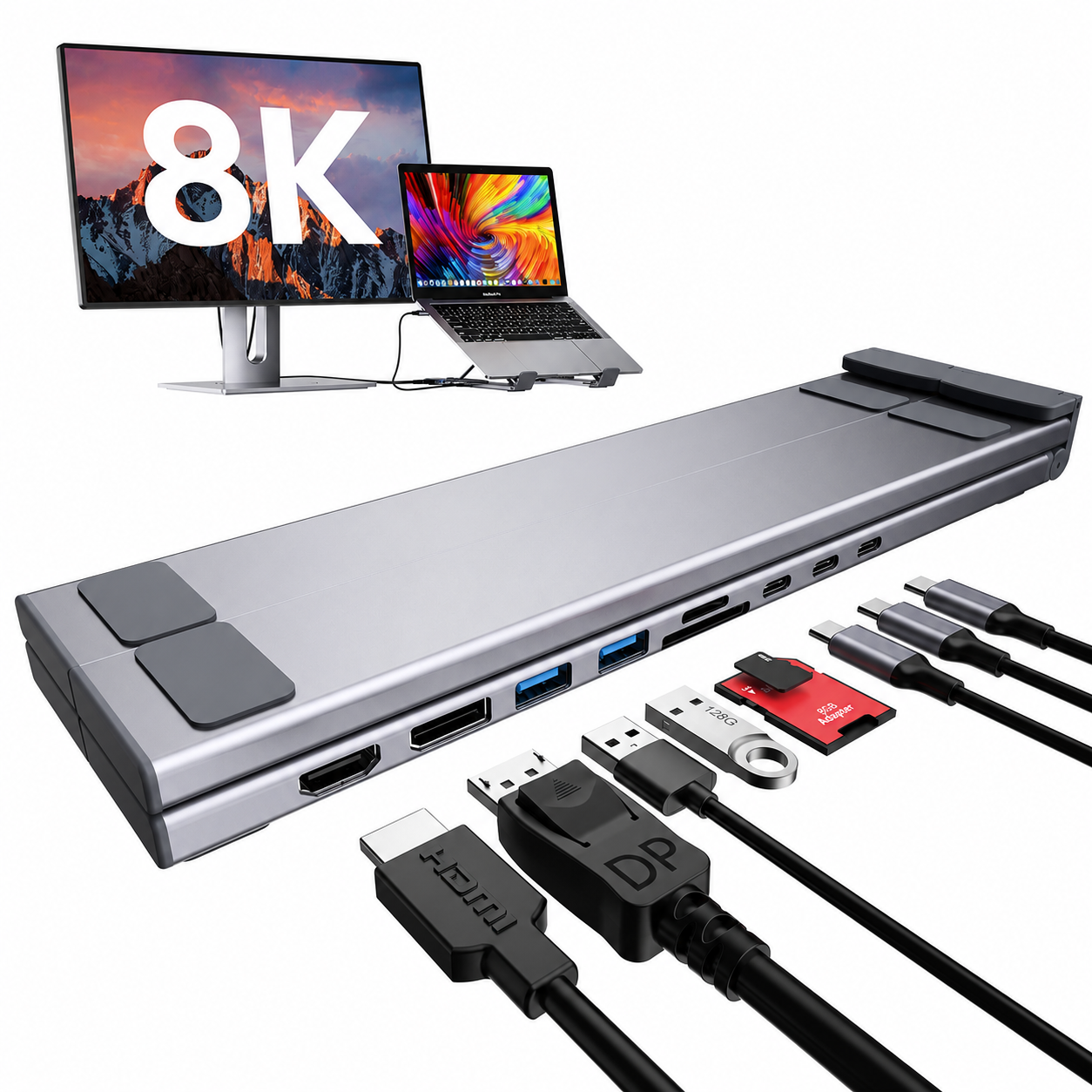
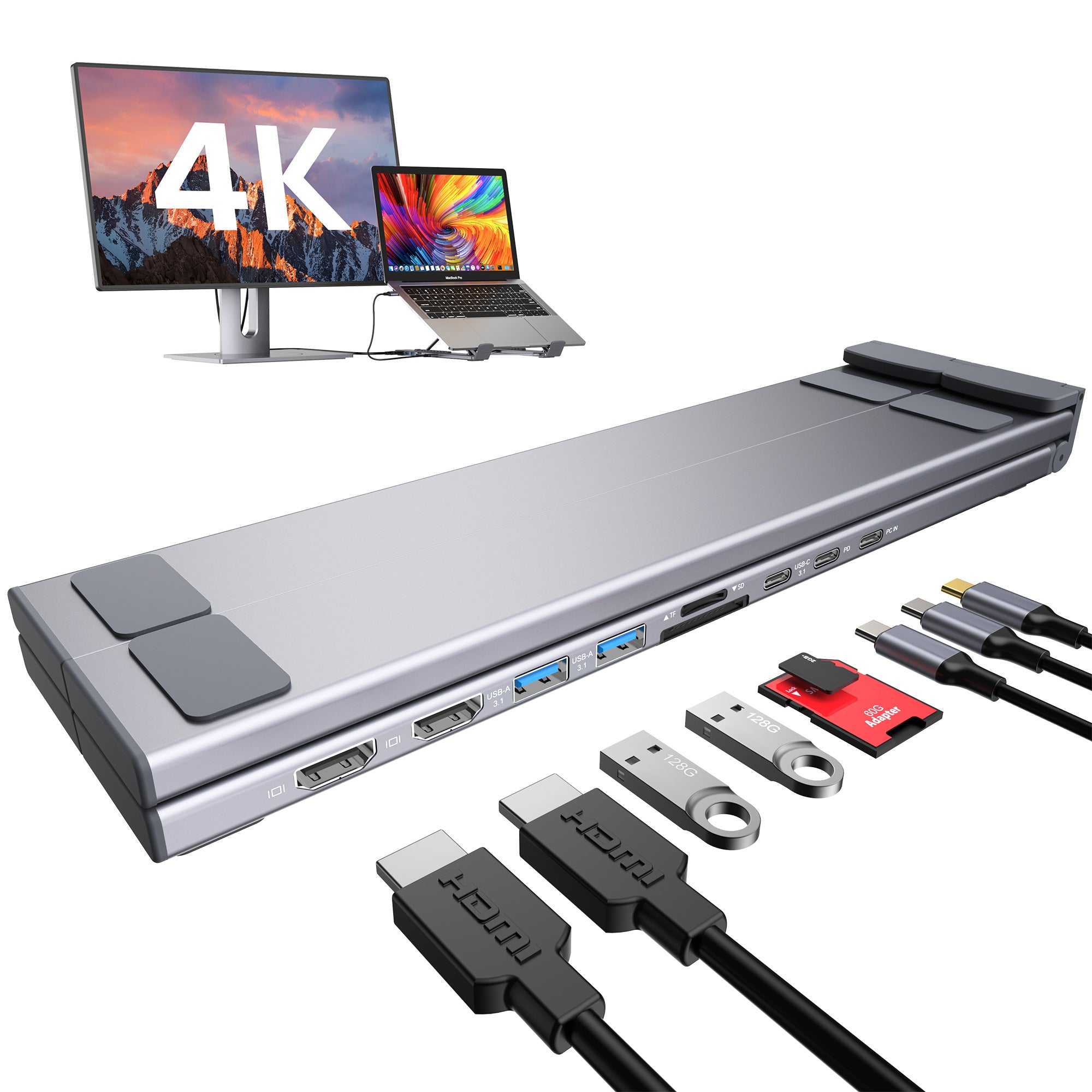
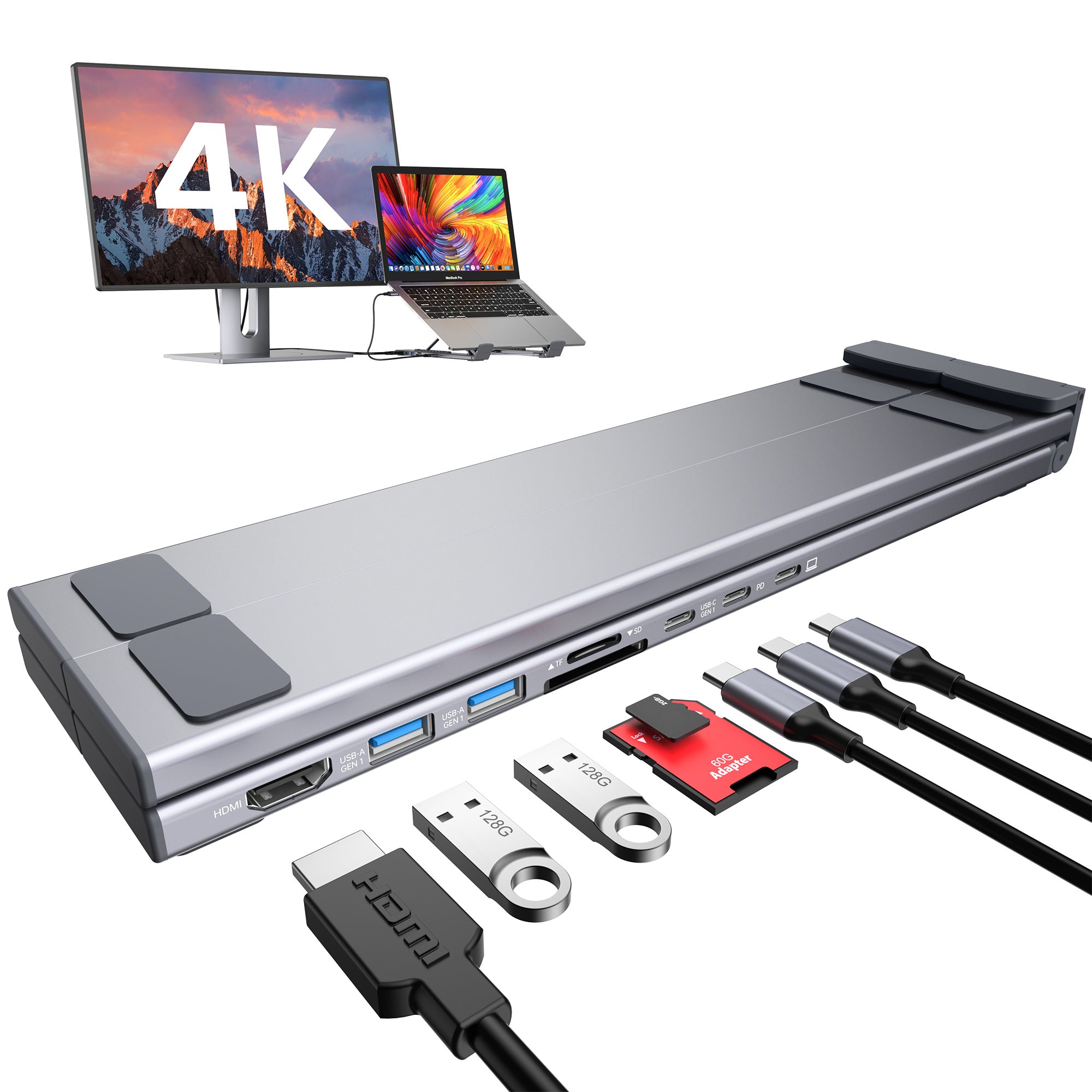
8-in-1 USB-C ノートパソコンドックスタンド
デュアル4K@60Hz HDMIによるトリプルディスプレイ対応。
- 1. Triple-Display Expansion
- 2. 2× HDMI + DisplayPort Flexibility
- 3. Up to 4K@60Hz Display Output
- 4. High-Speed Data & SD 3.0 Transfers
- 5. 100W PD Input & Up to 90W Laptop Charging
Key Features
1. Triple-Display Expansion
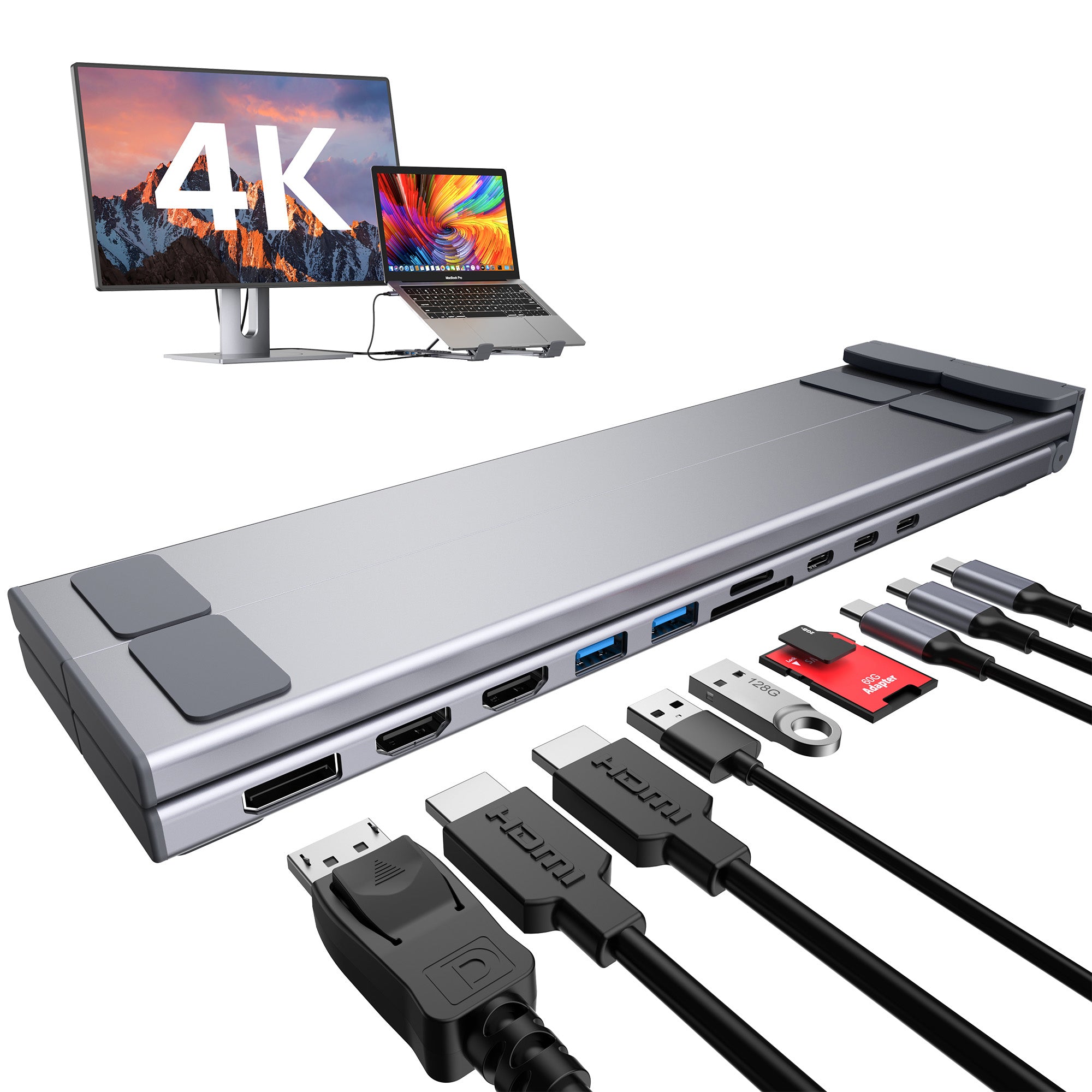
Take your workspace beyond a single screen with two HDMI ports and one DisplayPort. Connect up to three external monitors on compatible systems for a larger, more productive multi-screen workstation.
2. 2× HDMI + DisplayPort Flexibility
Build the display setup that works for you. Dual HDMI ports plus a dedicated DisplayPort give you more flexibility to connect different monitors without relying on additional video adapters.
3. Up to 4K@60Hz Display Output
Enjoy sharp, smooth visuals with each HDMI and DisplayPort connection supporting up to 4K@60Hz on compatible devices. Ideal for multitasking, content creation, data-heavy workflows, and professional desktop setups.
4. High-Speed Data & SD 3.0 Transfers
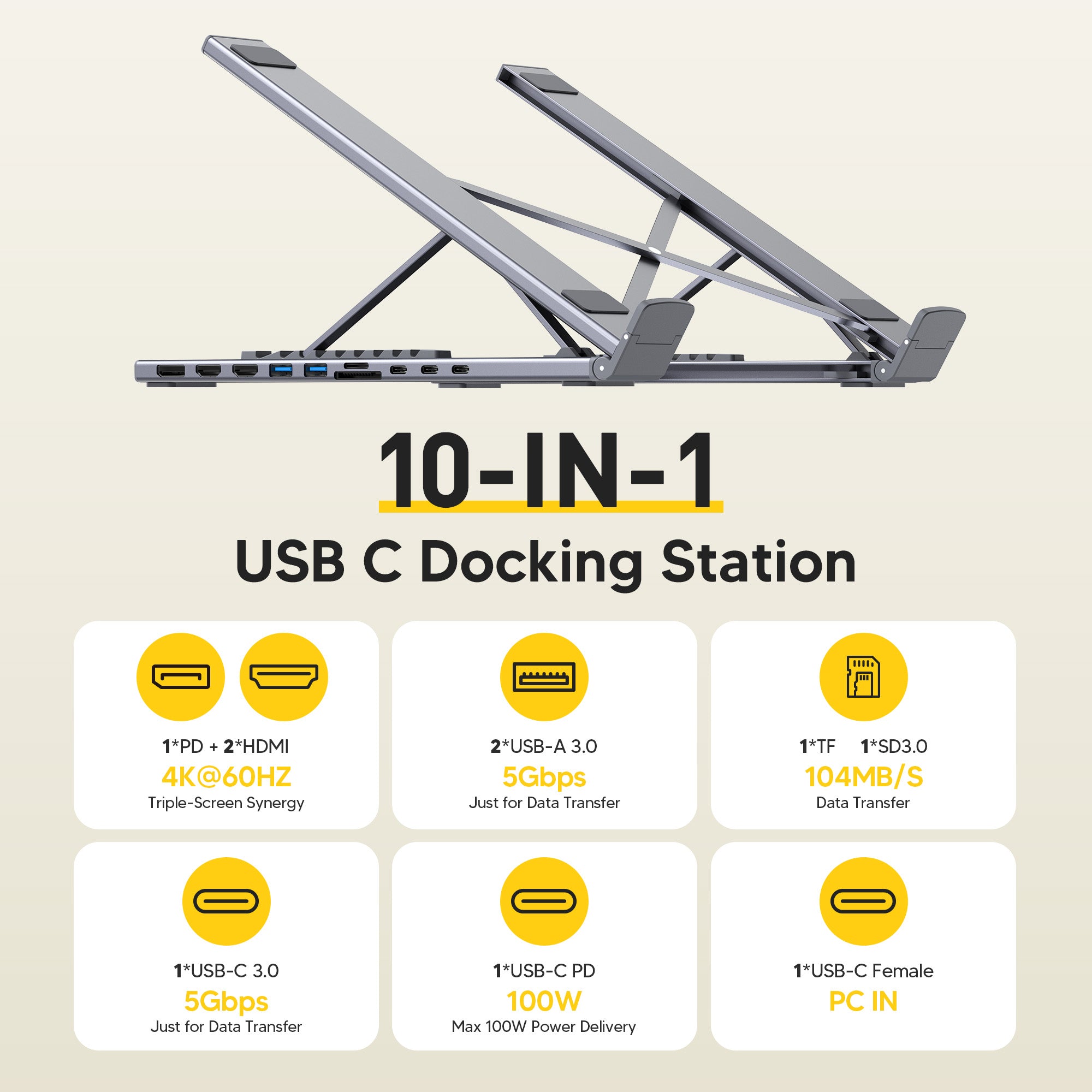
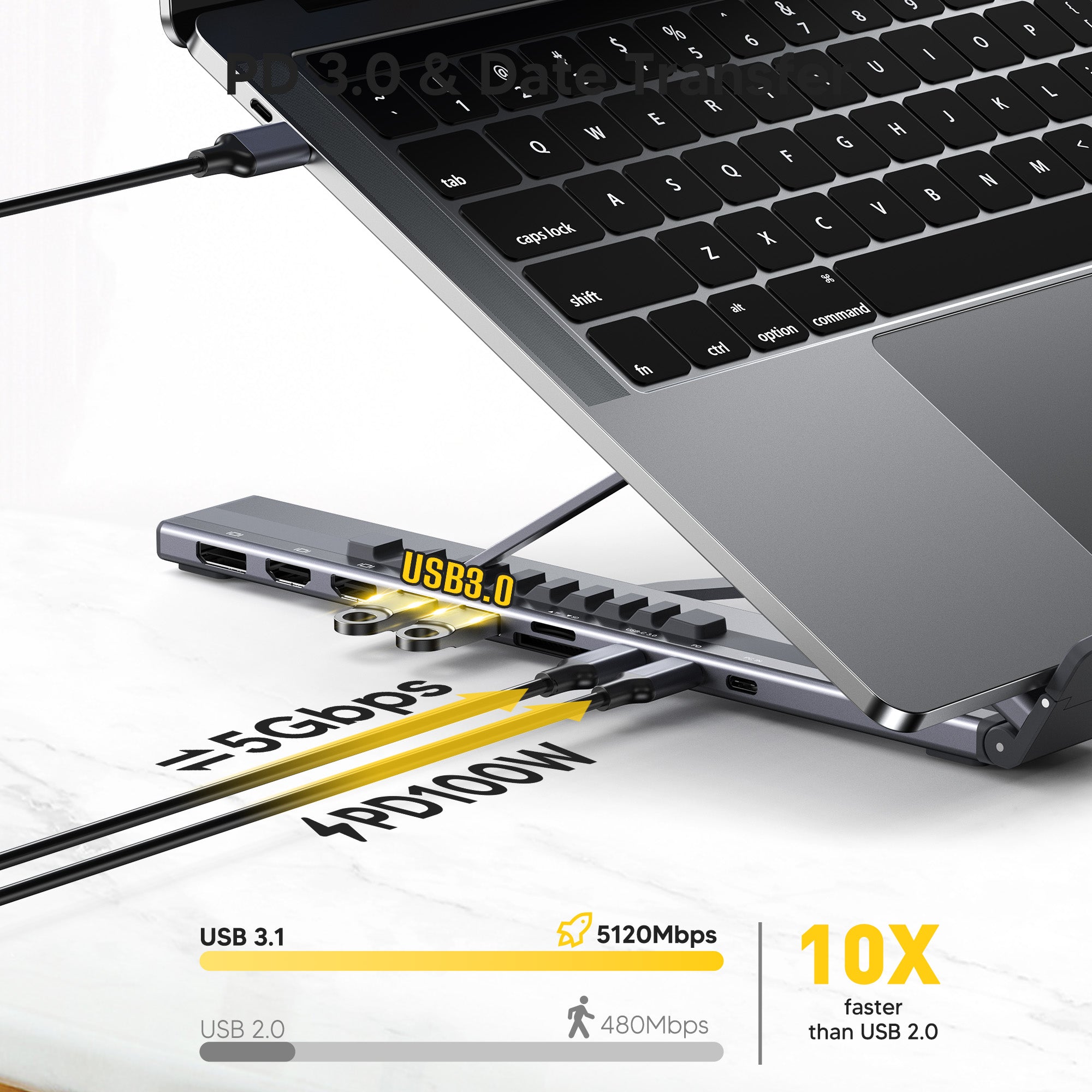
Move large files efficiently with USB-C and dual USB-A ports supporting up to 5Gbps, plus SD 3.0 and TF card slots supporting up to 104MB/s for photos, videos, and project files.
5. 100W PD Input & Up to 90W Laptop Charging
Keep your laptop powered while driving your connected workspace. The USB-C PD port supports up to 100W input and delivers up to 90W to your laptop while reserving power for the dock itself.
Specifications
1× DisplayPort
1× USB-C Host
1× USB-C PD
1× USB-C Data
2× USB-A 3.0
1× SD Card Slot
1× TF Card Slot
HDMI 2: Up to 4K@60Hz
DisplayPort: Up to 4K@60Hz
Supports Up to 3 External Displays*
Up to 90W Laptop Charging
2× USB-A 3.0: Up to 5Gbps
SD / TF: Up to 104MB/s
266.2 × 70.5 × 26.5 mm
USB 3.1 Gen 2 / Thunderbolt 3 or Higher Recommended
See It in Action
相性が良い
在庫あり!3-5営業日以内に発送
90日間リスクなしトライアル
2年間保証
送料無料&返品無料

8-in-1 USB-C ノートパソコンドックスタンド
Compare all models
Five configurations. Same form factor, same 100W charging — different display and port combinations for different workflows.
| Creator Most ports | Dual Monitor Most popular | 8K 8K output | Triple Display 3 screens | Essential Core | |
|---|---|---|---|---|---|
| Display | |||||
| Total display outputs | 1 | 2 | 2 | 3 | 1 |
| Triple Display resolution | 4K@60Hz | 4K@60Hz | 8K@30Hz | 4K@60Hz | 4K@30Hz |
| HDMI ports | 1× HDMI | 2× HDMI | 1× HDMI | 2× HDMI | 1× HDMI |
| DisplayPort | — | — | DP 8K@30Hz | DP 4K@60Hz | — |
| Dual 4K@60Hz | — | — | |||
| Triple 4K@60Hz | — | — | — | — | |
Best For
The audio-first creator
Content creators, podcasters, and remote workers who plug in a condenser mic or studio headphones. The only M model with audio I/O.
The daily commuter
Hybrid workers and business travelers who need two external monitors. Best all-round pick — nothing wasted, nothing missing.
The resolution professional
Video editors, colorists, architects, and 3D artists. For workflows where pixel count is non-negotiable — 8K@30Hz or dual 4K@60Hz.
The multi-screen operator
Traders, developers, and video producers who run three external screens. The only M model that drives three 4K@60Hz outputs simultaneously.
The essential setup
For users who need a simple, reliable single-display workspace. One HDMI output with up to 4K@30Hz for everyday productivity.
The audio-first creator
Content creators, podcasters, and remote workers who plug in a condenser mic or studio headphones. The only M model with audio I/O.
The daily commuter
Hybrid workers and business travelers who need two external monitors. Best all-round pick — nothing wasted, nothing missing.
The resolution professional
Video editors, colorists, architects, and 3D artists. For workflows where pixel count is non-negotiable — 8K@30Hz or dual 4K@60Hz.
The multi-screen operator
Traders, developers, and video producers who run three external screens. The only M model that drives three 4K@60Hz outputs simultaneously.
The essential setup
For users who need a simple, reliable single-display workspace. One HDMI output with up to 4K@30Hz for everyday productivity.
Featured by Creators
See what tech reviewers and productivity experts are saying
See It in Action
Quick demos from creators who use Mukiya daily
Real Setups, Real Results
See how our community transforms their workspaces
You May Also Like
FAQs
Can one USB-C docking station support three monitors?
The Triple Display model can connect up to three external monitors through two HDMI ports and one DisplayPort on compatible systems. The host laptop must support the required USB-C video output, and actual resolution and refresh rate depend on the device and operating system.
What does my laptop need to run three monitors?
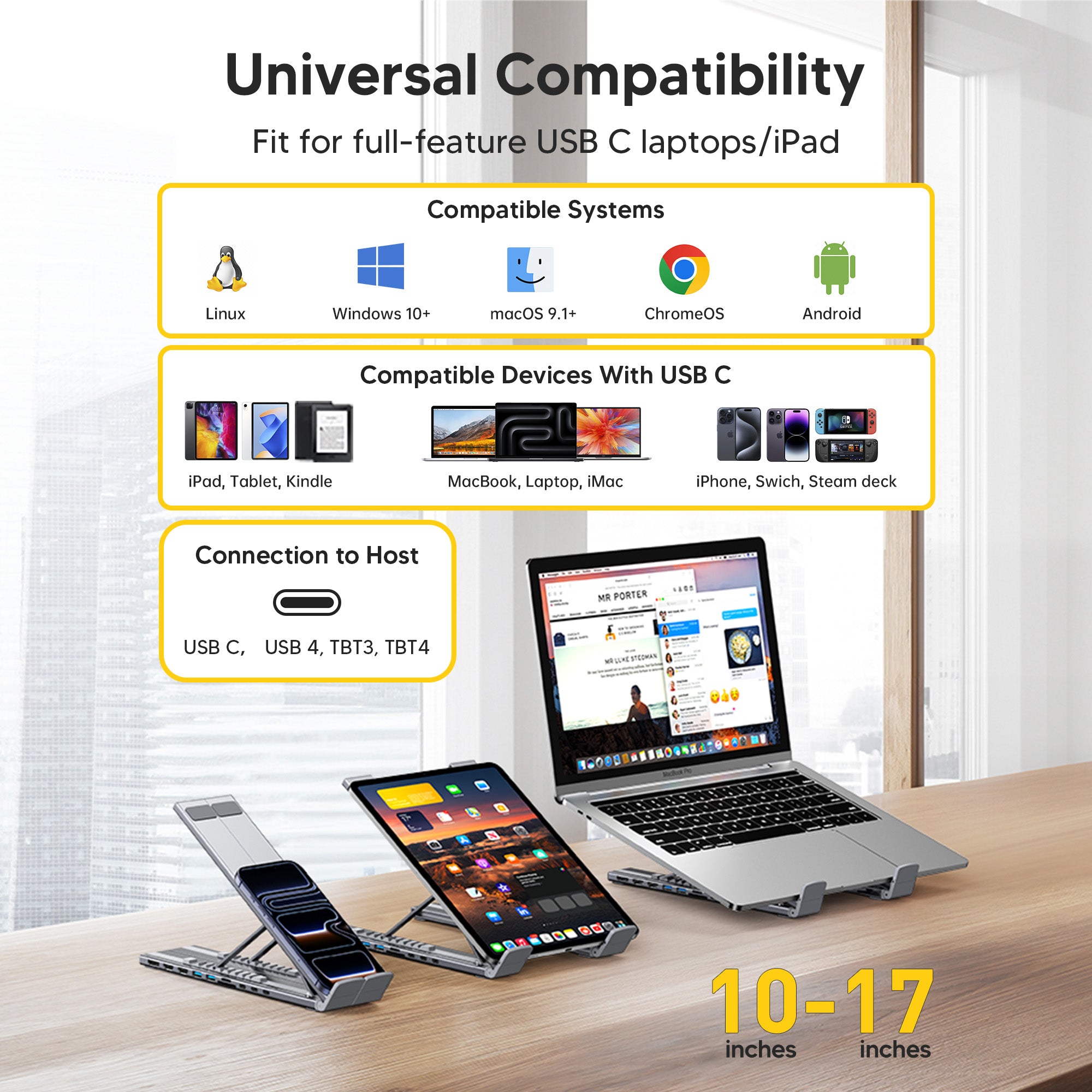
Your laptop's USB-C port must support DisplayPort Alt Mode and enough external displays for the intended setup. Windows support varies by GPU and model, while many MacBooks have stricter external-display limits or may mirror outputs. This dock cannot override the computer's native display limit.
How many ports does the Triple Display dock have?
It is a 10-in-1 dock: two HDMI outputs, one DisplayPort, two USB-A 3.0 ports (5Gbps), a USB-C data port, plus card readers and power delivery, giving everything for a three-screen workstation through one USB-C cable.
Can all three external monitors run at 4K 60Hz?
The dock is designed for high-resolution multi-display setups, but the final resolution and refresh rate depend on the laptop, GPU, operating system, cable, monitor, and shared video bandwidth. Check your computer's display specifications before planning a triple-4K setup.
Is it also a laptop stand?
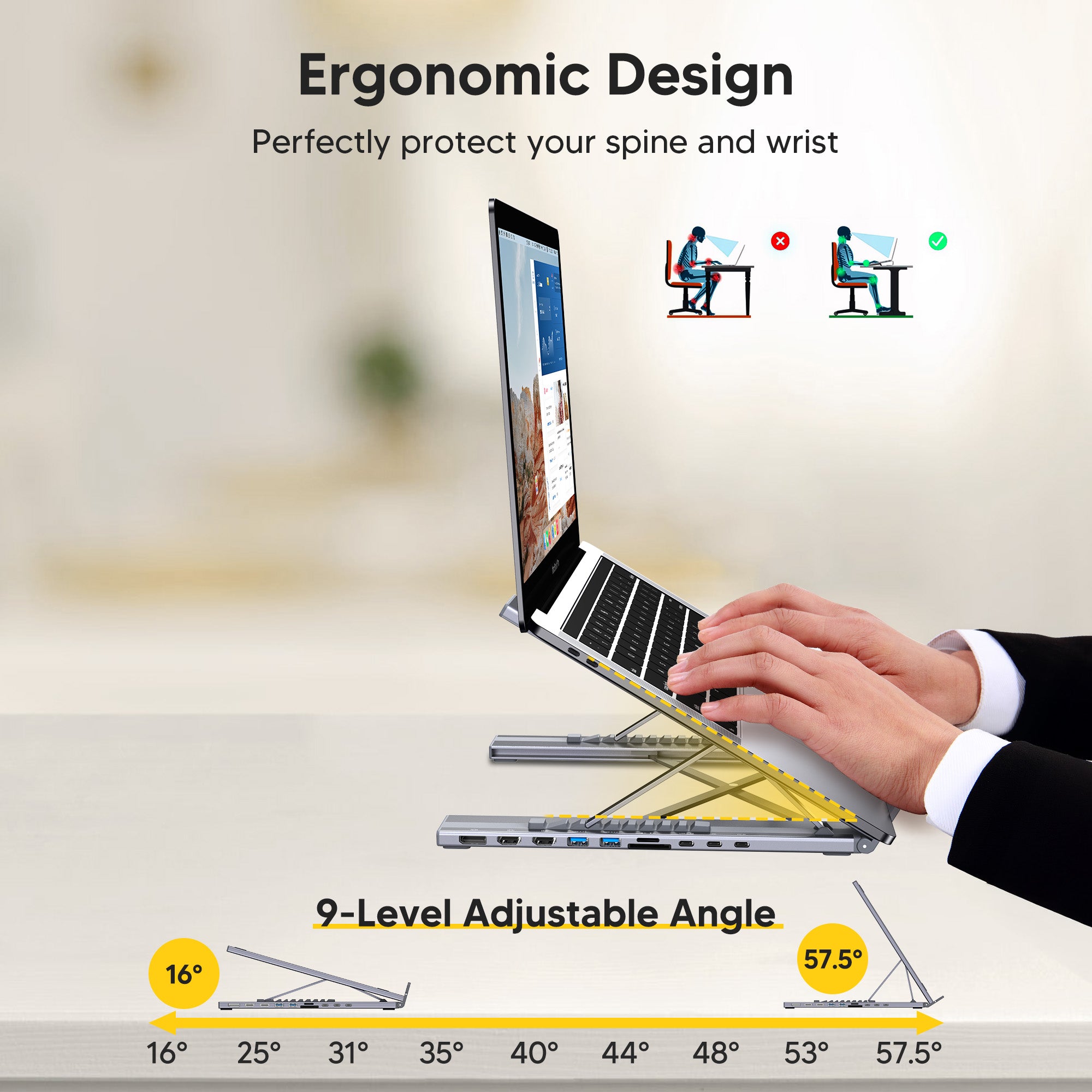
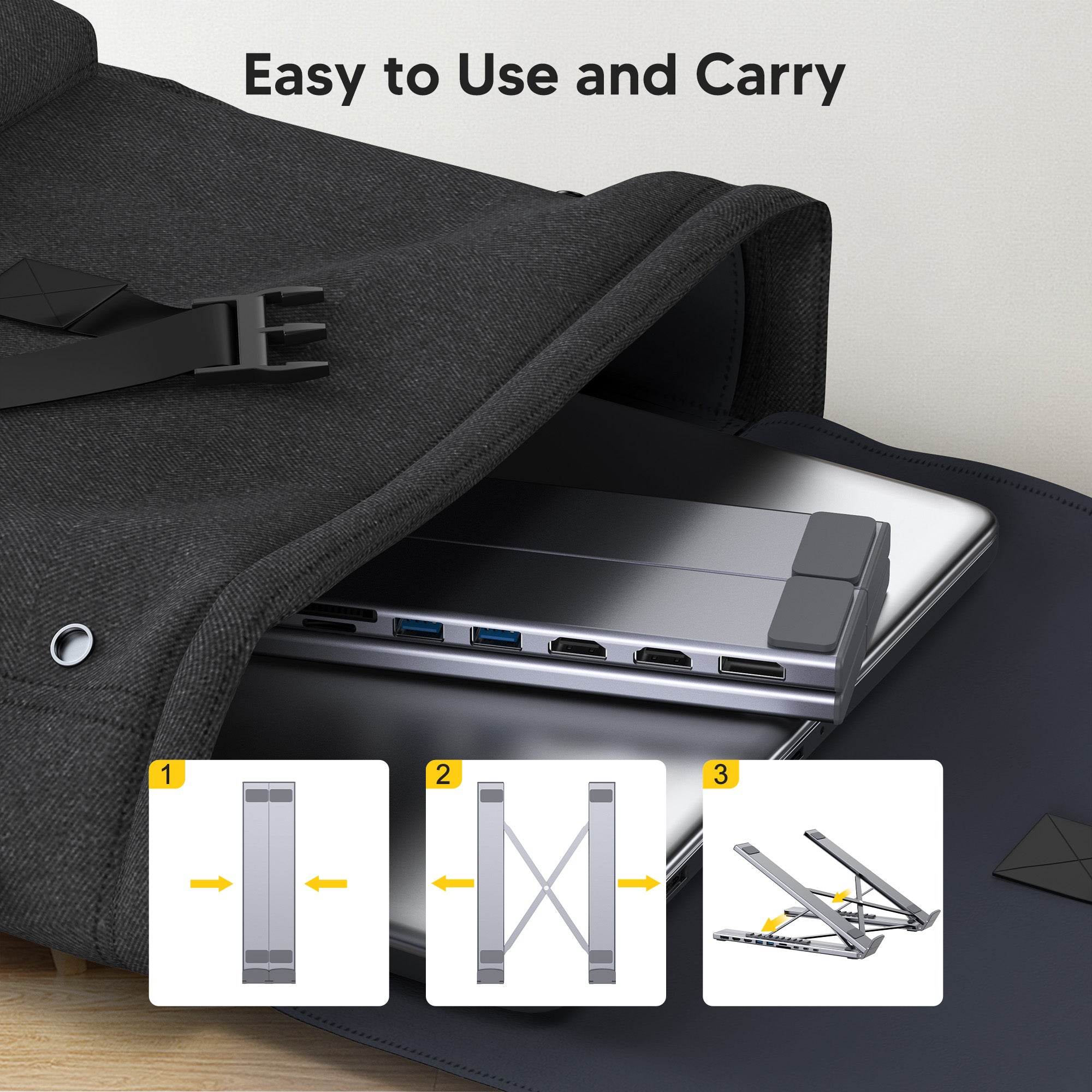
Yes. The dock is built into an adjustable aluminum laptop stand, raising your screen to eye level for better posture while expanding it into a three-monitor command center, reducing window switching and cable clutter at once.

ご質問がございましたら、いつでもお気軽にお問い合わせください。平日24時間以内にできるだけ早くご返信いたします。
-
配送情報
このテキストを使用して、顧客の質問にできるだけ詳しく回答します。
-
カスタマーサポート
このテキストを使用して、顧客の質問にできるだけ詳しく回答します。
-
よくある質問
このテキストを使用して、顧客の質問にできるだけ詳しく回答します。
-
お問い合わせ
このテキストを使用して、顧客の質問にできるだけ詳しく回答します。