
Wireless Charging Too Slow? How to Choose the Right Wireless Charger for Your iPhone
Introduction
Is your iPhone charging too slowly on a wireless charger? Learn how to pick the right wireless charger for iPhone, understand why charging can be slow, and discover tips to boost charging speed.
1. Why Is My iPhone Charging So Slowly?
Wireless charging is convenient, but sometimes your iPhone seems to charge very slowly. Common reasons include:
Low Power Output
Many basic wireless chargers only provide 5W, while iPhones support up to 15W with MagSafe.
Tip: Choose a fast wireless charger with sufficient output.
Incompatible Adapter
Even the best Qi wireless charging adapter cannot deliver full performance if paired with a weak power source.
Recommendation: Use at least a 20W PD adapter.
Case Interference
Thick, metal, or magnetic phone cases can block wireless signals.
Tip: Use a thin or MagSafe-compatible case to maximize charging efficiency.
Misalignment
Your iPhone’s charging coil must align with the charger’s coil.
Solution: Use a wireless charger stand with magnetic alignment for precise positioning.
Overheating
Charging efficiency drops when the device gets too hot.
Tip: Choose a fast wireless charger with temperature control and safety protection.
2. Understanding Wireless Charging Standards: Qi vs. MagSafe
Qi Standard
The universal wireless charger for iPhone standard. Works with iPhone 8 and newer models, supporting up to 7.5W wireless charging.
MagSafe
Apple’s proprietary magnetic wireless charging system, supporting up to 15W and ensuring precise coil alignment.
Pro Tip: For iPhone 12 and later, using a MagSafe or magnetic wireless charger stand can significantly improve charging speed.
3. How to Choose the Right Wireless Charger
When buying a wireless charger, consider the following:
Power Output
Minimum: 7.5W
Recommended: 15W fast wireless charger
Compatibility
Ensure it is Qi-certified or MFM (Made for MagSafe)
For charging multiple devices simultaneously, consider a wireless charger 3 in 1
Form Factor
Flat pad: Ideal for bedside or desk use
Stand: Functions as a wireless charger stand, convenient for video calls or watching content
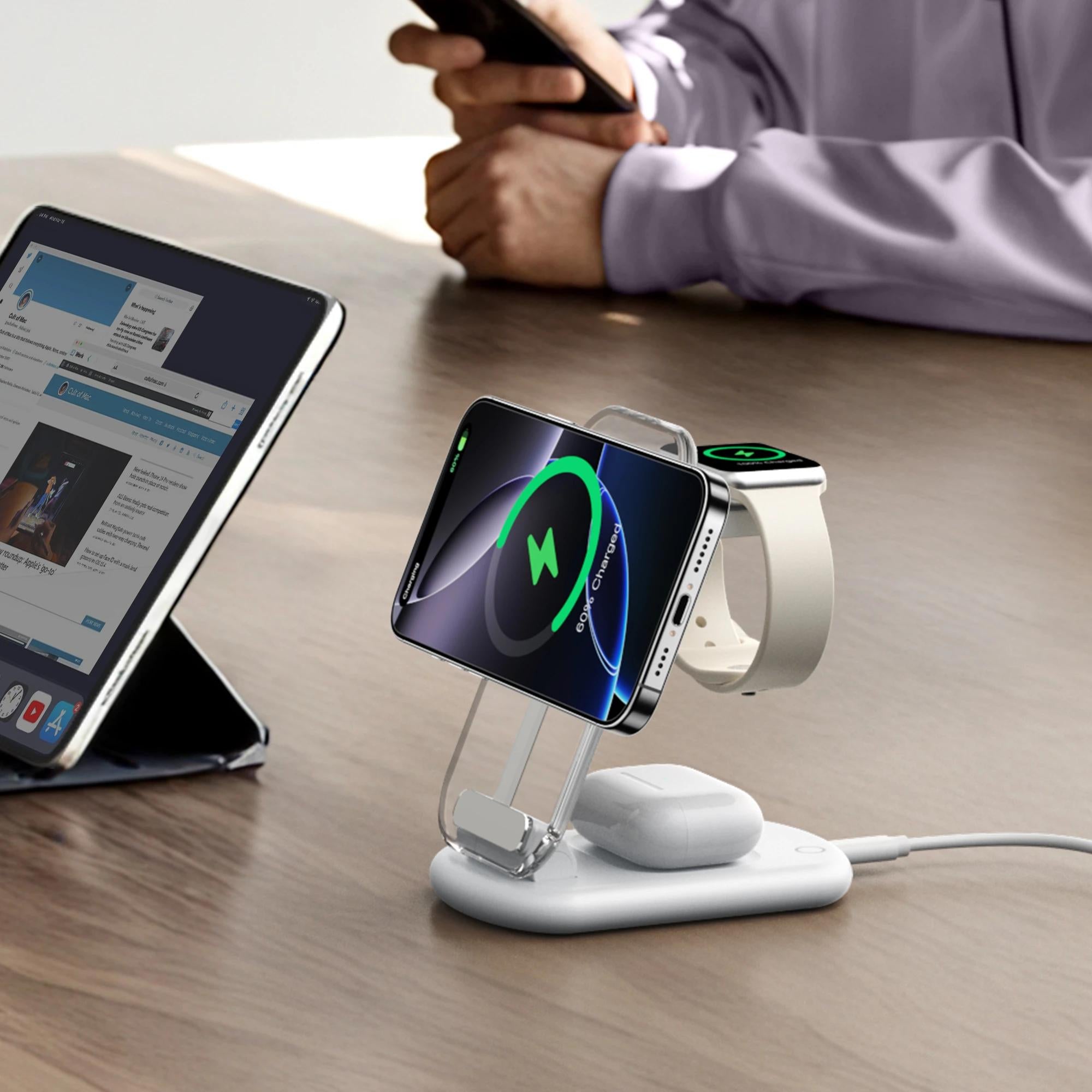
Three-in-one station: Charge iPhone, AirPods, and Apple Watch together
Ports and Adapter
Type-C interface compatible with QC and PD fast charging
Can function as a portable wireless charger or portable wireless charger for Android
Safety Features
Over-current, over-voltage, and temperature protection
4. Tips to Maximize Wireless Charging Efficiency
Plug the charger directly into a wall outlet rather than a USB hub.
Avoid placing your phone on soft surfaces that trap heat.
Keep iOS updated to benefit from system charging optimizations.
Avoid heavy phone usage (gaming or video calls) while charging.
Using the right wireless charger for iPhone and wireless charger stand can significantly improve charging efficiency and reduce waiting time.
5. Recommended Product: Mukiya 15W MagSafe Wireless Charger
If you are looking for a fast wireless charger, we recommend the Mukiya 15W MagSafe Wireless Charger:
Supports up to 15W wireless charging for iPhone 12/13/14/15
Magnetic alignment ensures precise coil positioning
Can also be used as an AirPods wireless charger
Functions as a wireless charger stand, convenient for charging while using your phone
Compatible with Qi wireless charging adapters and multiple fast-charging protocols
Works as a portable wireless charger for travel or daily use

Conclusion
Slow wireless charging isn’t inevitable. By choosing the right wireless charger for iPhone, a MagSafe-compatible wireless charger stand, or a wireless charger 3 in 1, you can safely and efficiently charge your iPhone, AirPods, and other devices simultaneously.

共有:
The Evolution of Wireless Charging: From Qi 1.0 to Fast MagSafe Charging
The Difference Between Wired and Wireless Charging: Which Is Better for You?